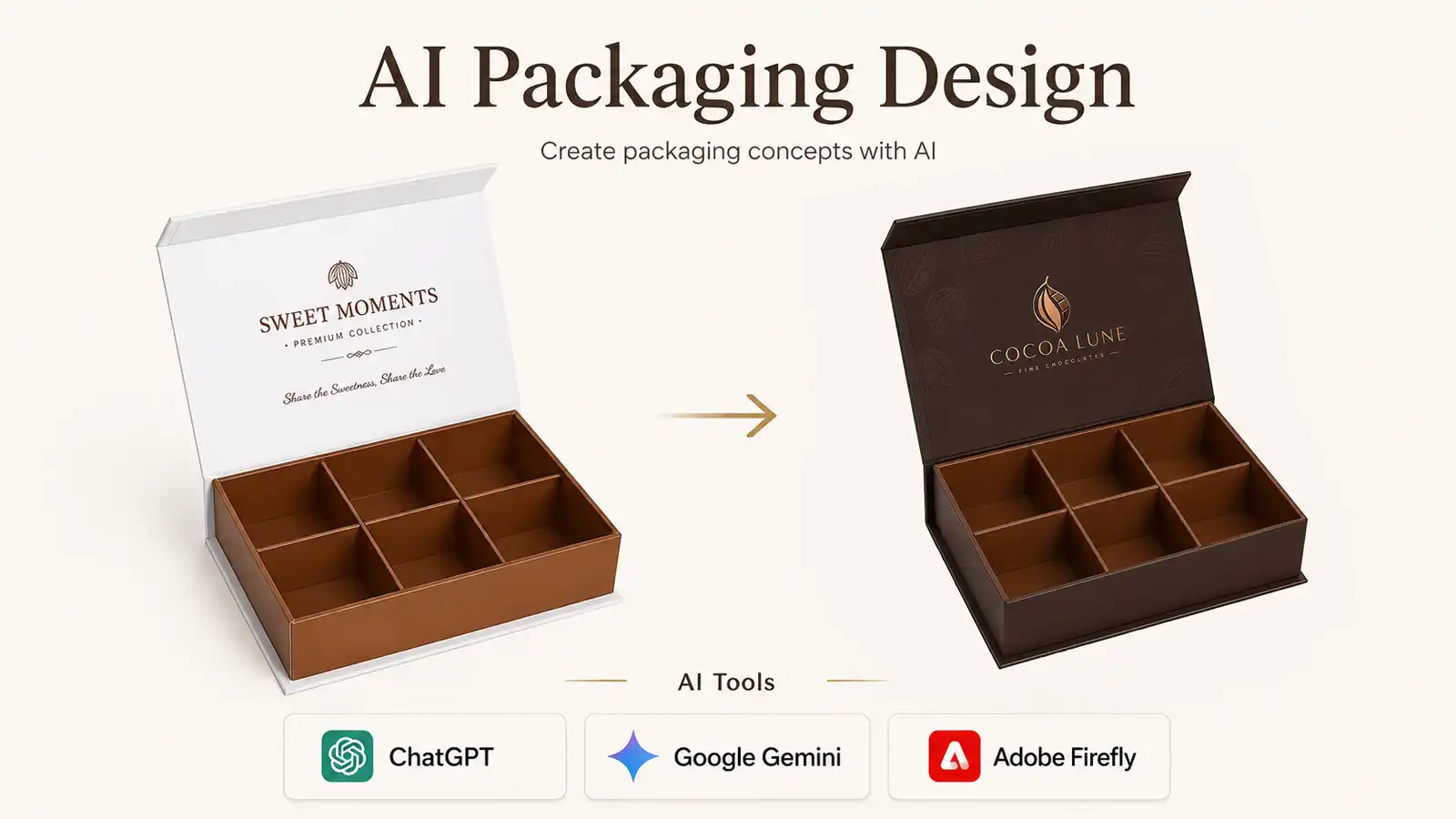
AI can help chocolate brands explore packaging ideas quickly, even without advanced design experience. You can upload your logo, choose brand colors, describe a visual style and ask AI to create a realistic packaging concept.
However, there is one important rule:
Choose a real, manufacturable box structure before asking AI to design the packaging.
AI is useful for visualizing ideas, but it does not automatically understand packaging engineering, production tolerances or how a box must be assembled. Starting with a real box model makes the concept more practical, easier to quote and much easier to communicate to a packaging manufacturer.
1. Choose the Packaging Structure First
Do not begin with a prompt such as:
“Create a luxury chocolate box for my brand.”
This gives the AI too much freedom. It may create an attractive image, but the box could have an unrealistic opening method, an unsupported insert or a structure that would be difficult or expensive to manufacture.
Instead, first select a real packaging model. You can:
- Browse the SLD Chocolate Packaging collection.
- Search Google for a specific box style.
- Send your product information to a packaging manufacturer and ask for a suitable structure.
- Use photographs of packaging you have already purchased or sampled.
For example, a premium chocolate collection may use a rigid chocolate gift box, while a cost-controlled retail product may be better suited to a chocolate folding box. Products sold online may require a stronger corrugated chocolate box.
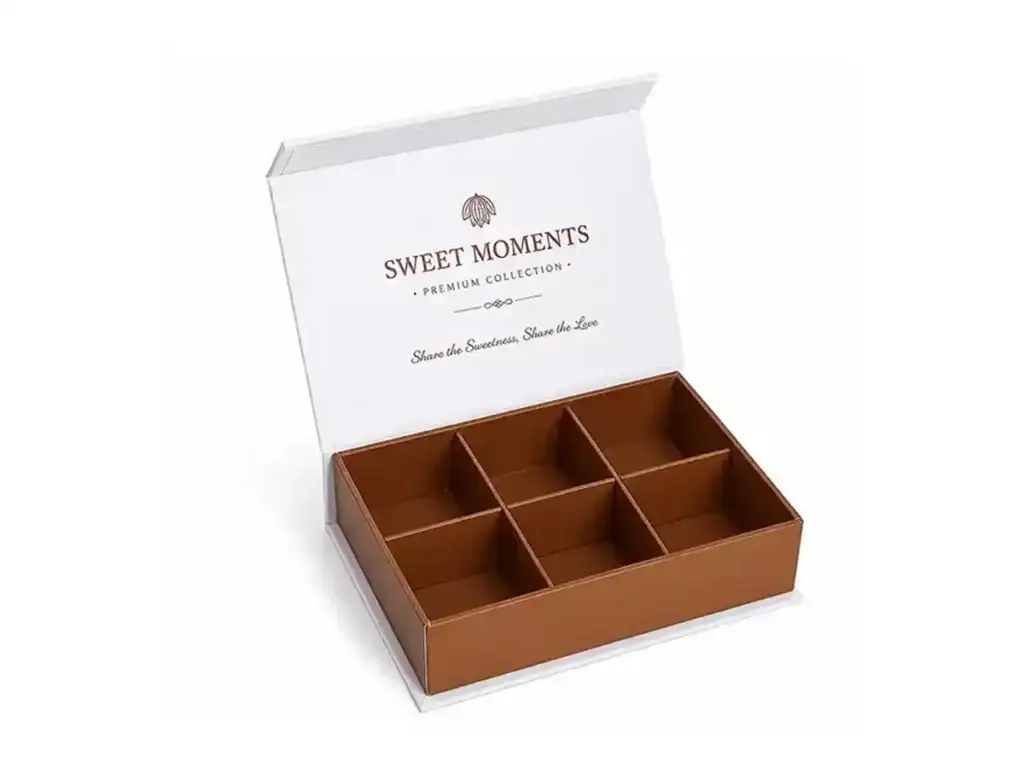
Whenever possible, provide the AI with clear photographs showing the box:
- Closed
- Open
- From the front
- From a 45-degree angle
- With the insert visible
The AI should use this box as the structural reference rather than inventing a completely new structure.
2. Prepare the Information the AI Needs
Before generating the design, collect the following information:
| Information | What to Provide |
|---|---|
| Box model | Clear images of the real box structure you want to use |
| Logo | A high-resolution PNG with a transparent background, or an SVG file |
| Brand colors | HEX, RGB, CMYK or Pantone references when available |
| Design style | Minimal, luxury, natural, vintage, playful, modern or another clear direction |
| Style references | Two or three images showing the desired mood, typography or pattern style |
| Product details | Chocolate type, number of pieces, sales channel and target customer |
| Finishing ideas | Gold foil, embossing, spot UV, matte lamination or other effects |
You do not need to provide every possible detail at the beginning. However, the box structure, logo, main colors and overall design style should always be included.
Remember that colors shown in an AI image are only visual references. Final printed colors must still be confirmed through CMYK or Pantone values, material selection and physical proofing.
Customers who are unfamiliar with production finishes can review common chocolate packaging printing effects before creating the concept.
3. Use a Clear AI Prompt
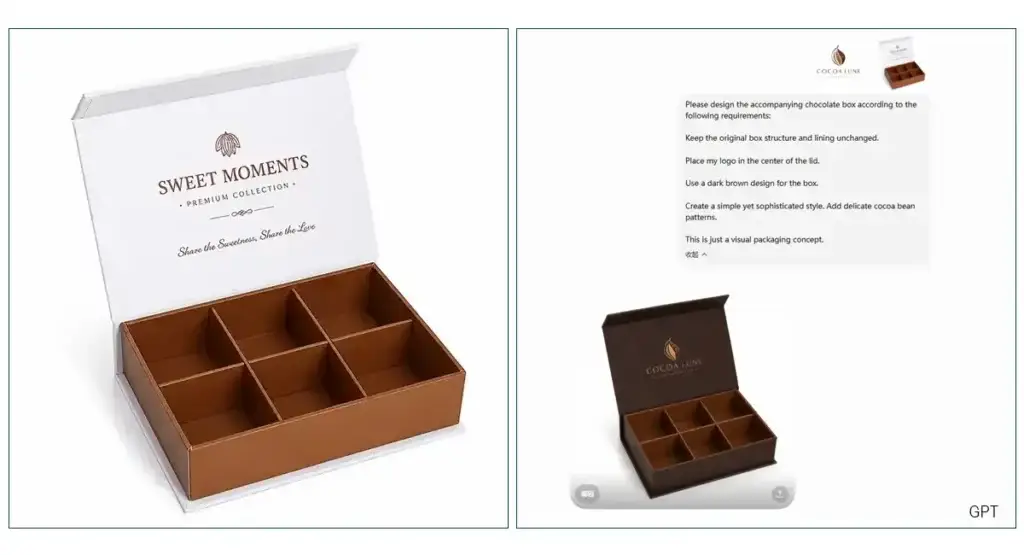
Upload the real box image first. Then upload your logo, color palette and style references.
A practical prompt could be:
Design the attached chocolate box with the following requirements:
Keep the original box structure and lining unchanged.
Place my logo in the center of the lid. Use a dark brown design for the box.
Create a simple yet sophisticated style.
Add delicate cocoa bean patterns.
This is just a visual packaging concept.(Of course, you can have more descriptions and ideas.)
Replace the structure, colors, style and product details with your own requirements.
After receiving the first result, make focused changes instead of rewriting the entire prompt. For example:
Make the logo 20% smaller.
Remove the pattern from the side panels.
Change the background from cream to dark brown.
Keep the box structure and insert exactly the same.
Changing one or two elements at a time usually gives you better control over the result.
4. Recommended AI Tools for Packaging Concepts
The following tools are currently suitable for early packaging visualization:
ChatGPT Images
ChatGPT is a practical choice for beginners because customers can upload reference images, explain changes conversationally and refine the concept through multiple rounds. It is useful when the customer wants to keep the same box while changing the logo, colors, graphics or presentation.
Google Gemini
Gemini’s image-generation system, including Nano Banana models, is useful when combining several references such as a box photograph, logo, pattern and color palette. Google’s current documentation emphasizes multi-reference processing, editing, text rendering and high-resolution generation.
Adobe Firefly
Adobe Firefly is suitable for designers who already use Photoshop or Illustrator. It can generate branded product mockups and makes it easier to continue editing the concept within an Adobe workflow.
Midjourney
Midjourney is particularly useful for exploring visual styles, campaign directions and premium presentation ideas. It can produce highly polished concepts, although logos, exact text and production details should still be checked and rebuilt in professional design software. Midjourney’s current V8 generation focuses on image quality, prompt interpretation, aesthetics and personalization.
There is no need to use every tool. Choose one that allows you to upload reference images and make controlled revisions. The quality of your box reference and instructions is often more important than repeatedly changing AI platforms.
5. Turn the AI Concept into Real Packaging
An AI-generated image is a design concept, not a production-ready artwork file.
Before manufacturing, the packaging supplier still needs to confirm:
- Finished box dimensions
- Chocolate size and quantity
- Insert structure
- Paper or board material
- Printing method
- Surface finishing
- Logo position
- Dieline and bleed
- Production quantity
- Packing and shipping requirements
Send the manufacturer the AI concept together with the original logo file, brand color references, selected box model and product dimensions. The manufacturer or packaging designer can then convert the concept into an accurate dieline and prepare a physical sample.
Do not copy another company’s complete packaging artwork. Reference images should be used to communicate structure, color direction or visual mood—not to reproduce another brand’s identity.
Final Advice
AI makes it easier for customers to communicate a packaging idea, but the most successful process begins with a real box.
Choose the structure first, add your brand information second, and use AI to visualize the final appearance.
This approach reduces misunderstandings, avoids unrealistic concepts and gives the packaging manufacturer a much clearer starting point. Before bulk production, always confirm the dieline, materials, colors, finishes and physical sample.
To discuss whether your AI packaging concept can be manufactured, contact SLD Packaging and provide your box reference, logo, product size, preferred style and required quantity. The contact page currently asks customers to share their product, box style, size, quantity, material and printing requirements, which aligns well with this workflow.